
Best AI Courses for Designers
AI is opening up extraordinary new creative possibilities for designers across every discipline. Generative AI tools like Midjourney, DALL-E, and Stable Diffusion can produce images, illustrations, and design concepts in seconds, while AI-powered design tools are automating layout, color selection, and asset generation. Designers who understand these technologies can accelerate their creative process, explore more design variations, and focus their expertise on the strategic and conceptual work that AI cannot replicate. These courses will help you master prompt engineering for image generation, understand how diffusion models and other generative AI systems work, and explore how computer vision is enabling new design workflows. Whether you are a graphic designer, UX designer, or creative director, AI fluency is becoming a career-defining skill.
Key AI Skills for Designers
- Generate and refine images with AI tools like Midjourney and DALL-E
- Write effective prompts for consistent visual output
- Apply AI-powered design automation for layouts and assets
- Use style transfer and image-to-image techniques
- Leverage AI for UX research and user behavior analysis
- Understand copyright and ethical considerations in AI-generated art
How to Start Learning AI as a Designer
Start with a prompt engineering course focused on image generation to learn how to create consistent, high-quality visual outputs with AI tools (estimated 10-15 hours).
Take a generative AI fundamentals course to understand how diffusion models work, giving you deeper control over AI image generation and the ability to troubleshoot results (estimated 15-20 hours).
Explore computer vision courses to understand how AI perceives and processes visual information, enabling you to integrate AI into your design workflow for tasks like asset recognition and automated layout (estimated 20-25 hours).
Recommended Courses for Designers
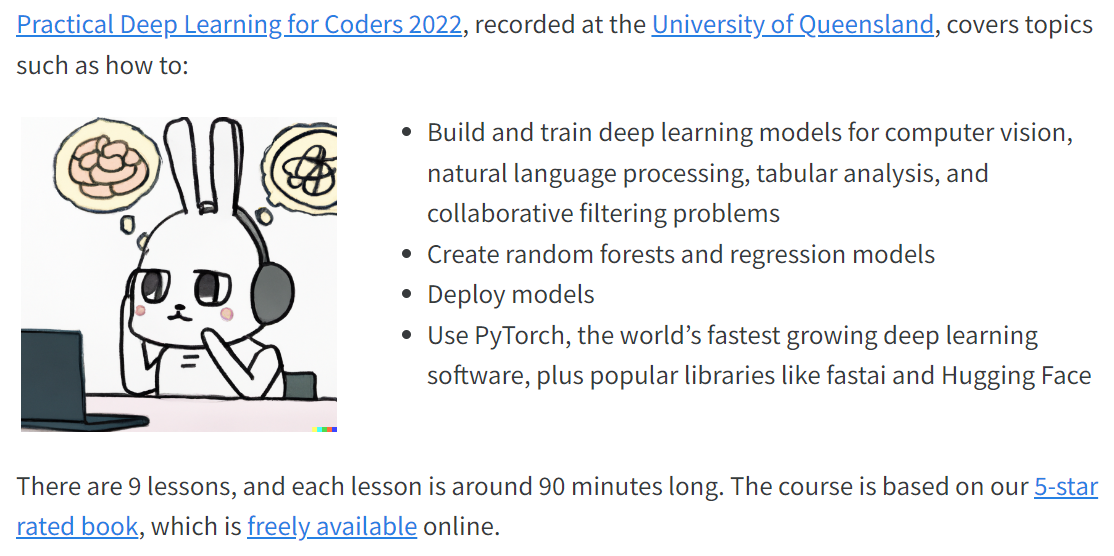
Practical Deep Learning for Coders
fast.ai

Introduction to Deep Learning
MIT

Generative AI with Large Language Models
Coursera

Deep Learning for Computer Vision
Stanford Online
ChatGPT Prompt Engineering for Developers
DeepLearning.AI

Azure AI Fundamentals
Microsoft Learn

Stable Diffusion: Complete Guide to AI Image Generation
Udemy
The Complete ChatGPT Guide: Learn Midjourney, ChatGPT & More
Udemy
Generative AI, LLMs - OpenAI API, LangChain, Hugging Face
Udemy

Deep Learning and Computer Vision A-Z: OpenCV, SSD & GANs
Udemy
How Diffusion Models Work
DeepLearning.AI
Pair Programming with a Large Language Model
DeepLearning.AI

Practical Deep Learning for Coders Part 2: Deep Learning Foundations to Stable Diffusion
fast.ai

Introduction to Generative AI Learning Path
Google Cloud

Google AI Essentials

Computer Vision
Kaggle

Diffusion Models Course
Hugging Face

Azure AI Engineer Associate
Microsoft Learn
AI for Beginners
Microsoft
Generative AI for Beginners
Microsoft

IBM AI Developer Professional Certificate
Coursera

Computer Vision Nanodegree
Udacity

Image Processing in Python
DataCamp

Working with the OpenAI API
DataCamp

Introduction to Generative AI
LinkedIn Learning

Prompt Engineering Specialization
Coursera
Open Source Models with Hugging Face
DeepLearning.AI

Serverless LLM Apps with Amazon Bedrock
DeepLearning.AI
Prompt Engineering: How to Talk to the AIs
LinkedIn Learning
Ethics in the Age of Generative AI
LinkedIn Learning

Generative AI: Introduction and Applications
Coursera

Generative AI: Prompt Engineering Basics
Coursera
Generative AI Concepts
DataCamp
Microsoft Copilot Foundations
Microsoft Learn
Prompt Engineering with Llama 2 & 3
DeepLearning.AI
Building Event-Driven Generative AI Applications
DeepLearning.AI

Generative AI Nanodegree
Udacity
OpenCV Python For Beginners
Udemy

Complete Generative AI Course With Langchain and Huggingface
Udemy
Carbon Aware Computing for GenAI Developers
DeepLearning.AI
Computer Vision: Deep Learning with Python
LinkedIn Learning
Introduction to Generative AI Studio
Google Cloud

IBM Generative AI Engineering Professional Certificate
Coursera
OpenAI Python API Bootcamp: Build AI Apps Fast
Udemy
Azure OpenAI Service Fundamentals
Microsoft Learn
Building AI Applications with Watson APIs
Coursera

Introduction to Computer Vision
edX

Introduction to Gemini API
Google Cloud

Deep Learning for Computer Vision with TensorFlow
Coursera
Building with the Claude API
Anthropic
AI Fluency: Framework & Foundations
Anthropic
Anthropic's Prompt Engineering Interactive Tutorial
Anthropic
LLM University (LLMU)
Cohere
Artificial Intelligence Fundamentals
IBM SkillsBuild
Agents and Workflows (OpenAI Academy)
OpenAI
AI Foundations (OpenAI Academy)
OpenAI
Applied AI Foundations (OpenAI Academy)
OpenAI
Frequently Asked Questions
Will AI replace designers?
AI is a powerful tool that augments the design process, not a replacement for designers. Strategic thinking, brand understanding, user empathy, and creative direction remain distinctly human skills. Designers who use AI tools effectively will be more productive and in higher demand.
How can designers use AI ethically?
Be transparent about AI use in your work, understand the training data behind AI tools, respect copyright and intellectual property, and use AI to enhance rather than replace human creativity. Stay informed about evolving industry standards and client expectations around AI-generated work.
Which AI tools should designers learn first?
Start with Midjourney or DALL-E for image generation, then explore Adobe Firefly for integrated design workflows. For UX designers, tools like Galileo AI for UI generation and AI-powered analytics platforms for user research are valuable additions.
How does AI fit into a professional design workflow?
AI works best in ideation and exploration phases — generating mood boards, exploring color palettes, creating variations, and producing rough concepts quickly. Designers then refine, curate, and apply their expertise to create polished final deliverables.